Processed Transactions: Meaning, Failures, and Payment Flow
Understand processed transactions, payment failures, and the steps behind each payment.

What Is a Processed Transaction?
A processed transaction is an exchange of money, goods, or services completed and recorded in a system. The system has checked the request and stored its result. This result may show as approved, completed, or settled.
The phrase processed transaction meaning can vary by bank or payment service. In most cases, it means the payment passed its required checks. It does not always mean the funds reached the seller at once.
The phrase transaction has been processed meaning usually points to a finished payment step. A card payment may still need final settlement. A bank transfer may need more time before the receiver sees the money.
By contrast, transaction is being processed meaning often signals a pending state. The request entered the system, but all checks are not complete. The final result may still be approval, decline, or cancellation.
- Approved: The payment passed its main checks.
- Pending: The system still needs to finish one or more steps.
- Declined: The system rejected the request.
- Settled: Funds moved to the seller or receiving account.
Why a Transaction Can Fail

When a transaction could not be processed, the system could not finish the payment request. The cause may sit with the buyer, seller, bank, or payment service. A clear error message helps locate the failed step.
Insufficient funds remain a common cause. The account may lack enough money for the purchase and any added fee. A bank may also block a payment that looks unusual or risky.
Wrong payment details can stop a payment before approval. Common examples include an expired card, a wrong security code, or an invalid account number. A closed account can cause the same result.
The message transaction could not be processed at this time often points to a short system issue. The payment service may be offline or too busy. A network break can also prevent a reply from reaching the seller.
- Check the account balance and payment details.
- Wait a few minutes before trying again.
- Try another trusted payment method.
- Ask the bank or seller for the decline reason.
Why Transaction Processing Matters
Transaction processing lets a business accept and track payments in a set order. A transaction processing system, or TPS, runs these steps with little manual work. It also keeps a record of each result.
Good records help businesses match sales with deposits. They support refunds, reports, tax work, and fraud checks. They also make it easier to spot a payment error before it grows.
Transaction integrity means the record stays correct from start to finish. The system should not mark a payment as complete when funds did not move. It should also prevent one payment from being counted twice.
Strong controls help firms meet rules for privacy, fraud checks, and financial records. The exact rules depend on the country and industry. Clear logs give staff a useful trail during reviews.
| Status | What it means | What to do |
|---|---|---|
| Approved | The payment passed the main checks. | Keep the receipt and await settlement. |
| Declined | The system rejected the payment request. | Check details or use another method. |
| Pending | The system has not reached a final result. | Wait before sending another payment. |
| Settled | Funds reached the receiving account. | Match the deposit with the sale. |
How the Transaction Processing System Works
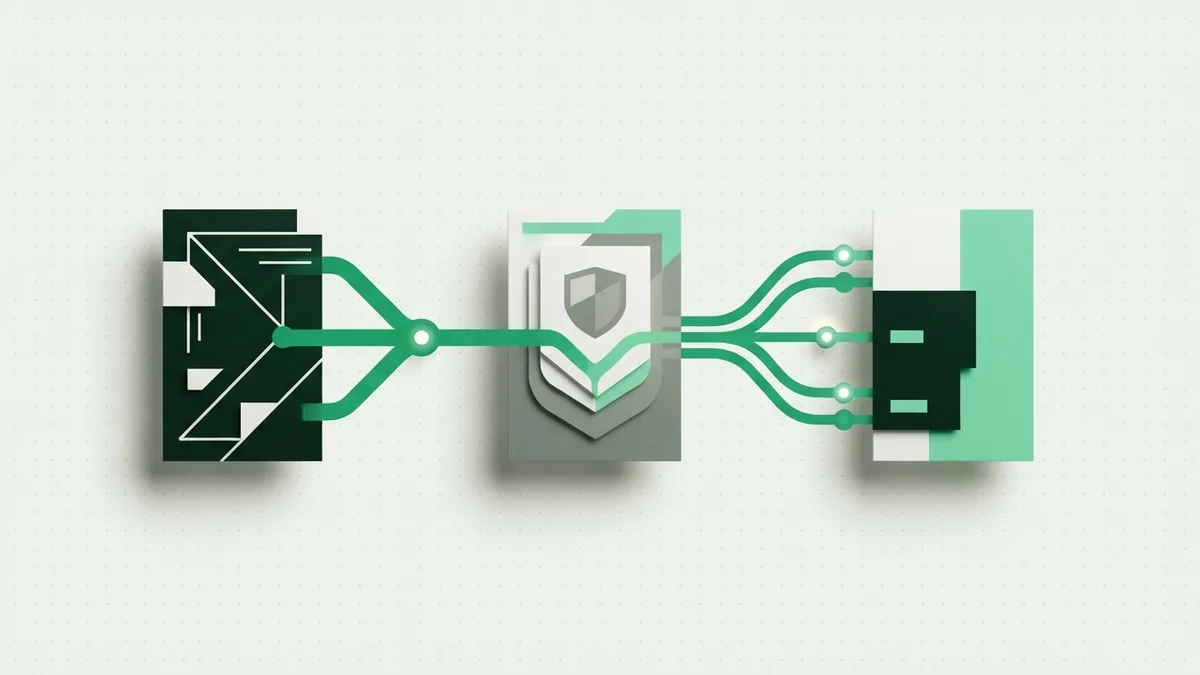
Most card and account payments follow three main stages. These stages are authorization, processing, and settlement. Each stage has a separate job.
1. Authorization
Authorization checks whether the payment should proceed. The bank checks the account, payment details, and risk signals. If the check passes, it places a hold or gives approval.
2. Processing and clearing
Next, the payment moves through the payment network. The parties check the request and prepare records for the next step. This stage may be quick, or it may take longer for some transfers.
3. Settlement
Settlement moves the funds to the seller or other receiving party. The bank removes the hold from the buyer’s balance. The seller then sees the deposit in its account.
A payment can fail at any stage. An approval may be reversed before settlement. That is why an approved payment and a settled payment are not always the same.
- Authorization: Can this payment proceed?
- Processing: Can the network complete its checks?
- Settlement: Can the funds reach the receiver?
Benefits of Efficient Transaction Processing
Fast, accurate processing improves the payment experience. Buyers get clear answers instead of long waits. Sellers can ship goods with more confidence.
Automation also cuts down on manual data entry. Fewer hand-entered records mean fewer typing errors. Staff can spend more time on refunds, support, and account checks.
Reliable processing gives businesses better cash flow data. Managers can see approved sales, failed attempts, refunds, and deposits. This view helps them plan stock and spending.
It also supports safer payment controls. The system can flag unusual activity and limit repeat attempts. These checks protect both customers and businesses.
- Fewer duplicate charges and data entry errors
- Faster payment answers for buyers
- Cleaner records for sales and deposits
- Better checks for fraud and unusual activity
- Less manual work for finance teams
Common Problems in Transaction Processing

Even a well-built system can face faults. A deadlock happens when two tasks wait for each other. Neither task can move until the system breaks the tie.
Data inconsistency occurs when linked records show different facts. For example, one record may show approval while another shows failure. These gaps can lead to wrong balances or duplicate work.
A transaction timeout happens when the system receives no reply within its set time. The payment may have failed, or it may still be moving through the network. Users should check the final status before trying again.
Network outages create another risk. A service may approve a payment but lose the reply. The buyer may see an error even though the seller later sees a charge.
Businesses can lower these risks with careful system design. They should keep clear logs and use one unique ID for each request. They should also make repeat requests safe.
- Use alerts for long waits and repeated failures.
- Keep payment records in one trusted source.
- Match each request with one unique payment ID.
- Show users a clear pending status.
- Review failed payments each day.
How to Help Ensure Successful Transactions
Businesses should test every payment path before launch. Tests should cover approval, decline, refund, timeout, and network loss. Each test needs a clear expected result.
Customers can prevent many failures by checking their details first. They should confirm the account balance and card expiry date. They should also avoid sending the same payment many times.
When a payment fails, save the error message and time. Check whether the account shows a pending hold. Then ask the seller or bank to confirm the final status.
A processed transaction is more than a simple success message. It is a record of steps that moved through a payment system. Knowing each step makes errors easier to spot and fix.
The best systems give clear status updates and strong records. They protect transaction integrity from approval through settlement. That helps buyers pay with confidence and helps sellers keep accurate books.
A simple response plan
- Read the exact payment status.
- Check for a pending hold or duplicate charge.
- Confirm the payment with the seller.
- Wait for the bank’s final update.
- Contact support if the charge remains unclear.
Frequently asked questions
- What does processed transaction mean?
- A processed transaction completed its required checks and was recorded by the system. It may still await final settlement.
- What does transaction is being processed mean?
- It means the payment entered the system but has no final result yet. The payment may later be approved, declined, or canceled.
- Why could a transaction not be processed?
- Common causes include low funds, wrong payment details, bank blocks, network faults, and service outages.
- What does transaction could not be processed at this time mean?
- This message often points to a short system or network problem. Wait briefly, then check the payment status before trying again.
- What is the difference between approved and settled?
- Approved means the payment passed its main checks. Settled means the funds reached the receiving account.
- What are the main stages of transaction processing?
- The main stages are authorization, processing, and settlement. Each stage checks or moves the payment in a different way.
Related reading

Why Do Payments Fail? Causes and Recovery
Find the cause of failed payments and recover more sales without harming trust.

How Do Credit Cards Work?
Understand credit cards, compare them with debit cards, and manage payments wisely.
How Is a Credit Card Different From a Debit Card?
See how each card works, what it costs, and when to use it.