Text Pay Explained: What It Is and How It Works
Text pay lets customers pay by SMS. See how it works and why businesses use it.
Understanding Text Pay
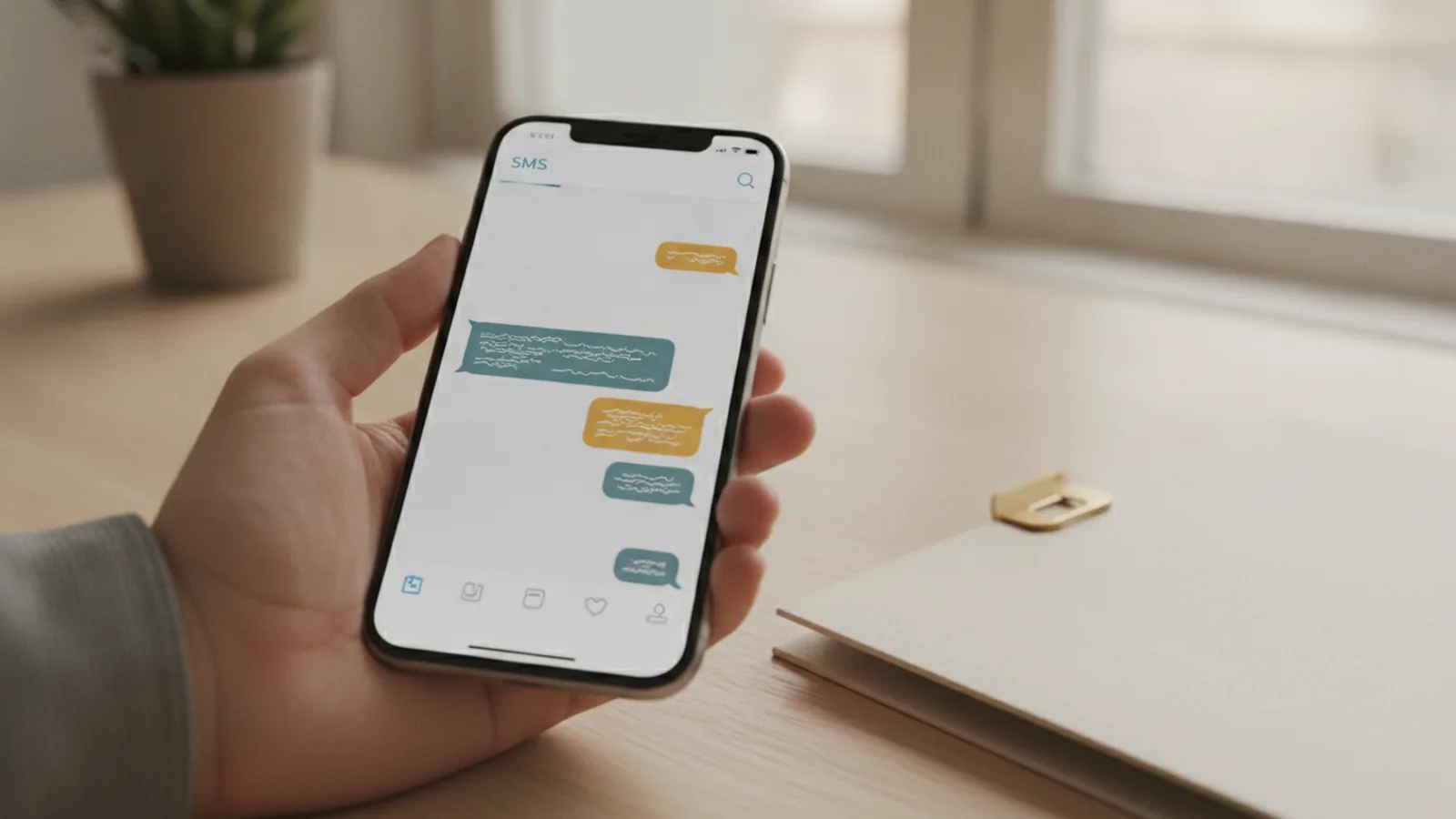
Text pay is a mobile payment solution that lets customers start a payment from their phone using SMS. In many flows, the customer simply types a short command like “Pay” and replies. The business then sends a secure payment link through text.
If you are asking “what is text to pay,” the simplest answer is: SMS payments that turn a text into a secure checkout. It is designed to fit into daily life. Customers do not need to install a new app to take the first step.
Text pay supports customer engagement by using familiar channels. It also reduces friction compared with older billing methods. When customers can pay where they already are, they are more likely to finish the payment quickly.
Here is what most users experience in practice. They get a payment request by SMS. They confirm the amount by opening a secure link. Then they complete payment using a standard payment method.

How Text Pay Works
To understand how does text to pay work, picture a short chain of events. First, the business sends a payment request to the customer’s phone. That message includes an instruction to respond with a keyword like “Pay.”
Next, the customer’s reply triggers a payment session in the business system. The system creates a secure payment link tied to that customer, invoice, or bill. Then it sends the link back by SMS. The customer opens the link and completes payment on a secure page.
Open rates for SMS notifications can reach 98%. Response times are also fast in many deployments. This matters for digital billing because customers often pay right after they see the reminder.
Most workflows also include safeguards. The payment link typically expires after a short window. It may require the customer to confirm details before charging. That helps keep transaction security tight.
- SMS request: Customer receives a reminder with a “Pay” command.
- Reply triggers: The business system validates the reply and creates a session.
- Secure link: A link is sent back via text for checkout.
- Payment processing: Payment is authorized and confirmed.
- Receipt and updates: The customer gets confirmation and the business updates records.

Benefits of Text Pay for Businesses
Text pay can shorten payment cycles and improve cash flow. Bills that sit unpaid for days or weeks often move faster when customers can act immediately. SMS reminders are easy to spot. The “reply to pay” design reduces the steps between reminder and payment.
For teams, text pay can also reduce manual work. Instead of handling many inbound calls or emails, staff can focus on exceptions. The system can auto-match payments to invoices and post confirmations to your records.
A key benefit is seamless integration. Text pay can integrate with existing management software for smoother operations. That may include billing systems, customer support tools, or back-office payment processing workflows. The goal is fewer duplicate entries and cleaner reporting.
From a customer engagement angle, convenience in payments often wins. Customers can pay while they are away from a desktop. They do not have to log into a portal before they act. They just follow a secure link.
| Business goal | How text pay helps |
|---|---|
| Faster collections | SMS reminders drive quick action, often same-day |
| Lower admin effort | Automated link creation and payment matching |
| Better reporting | Events like requests, link opens, and paid status |
| Customer convenience | Pay from a phone with minimal steps |
Common Use Cases for Text Pay
Many businesses use text pay for recurring and one-off billing. The best fit is when customers receive a predictable payment request. It also works when you want faster response than a traditional mailed invoice.
Healthcare teams may use SMS payments for copays, appointment-related balances, and follow-up bills. Utilities can use it for overdue balances where customers can respond right away. Retailers sometimes apply it to invoices sent after online or in-store purchases, especially for service add-ons.
Text pay can also help with event-based payments. For example, a customer might owe a deposit or a final charge. An SMS request can trigger payment without requiring another login journey.
Finally, text pay works well alongside traditional payment methods. Customers can still pay by card, bank transfer, or on-site checkout. SMS payments become an extra option that meets customers where they are.
- Healthcare: Copays and balance reminders via SMS payments
- Utilities: Overdue bill requests with secure links
- Retail: Invoice payments for services and add-ons
- Digital billing: Post-purchase payment follow-ups
Implementing Text Pay in Your Business
Implementation starts with your payment and messaging model. Decide which events trigger a text pay request. Most teams begin with overdue invoices or scheduled reminders.
Next, prepare your data flow. You need customer phone numbers, invoice identifiers, and payment amounts. Then you map each invoice to a payment session so payment processing can update the right account.
Security and compliance are crucial. You should verify phone number consent and ensure you follow rules for SMS outreach in your region. You also need strong safeguards around transaction security, including link expiration and server-side validation.
Operationally, test your end-to-end journey with real scenarios. Try different customer states, like already-paid invoices or incorrect invoice codes. A good pilot should measure request delivery, link opens, and paid confirmation rates.
- Define triggers: Choose which invoices or bills send SMS reminders.
- Set message rules: Use a simple command like “Pay” for replies.
- Connect your systems: Integrate with your management software for matching.
- Enable secure links: Create payment links with short validity windows.
- Run a pilot: Measure response and payment completion, then refine.
- Train teams: Ensure support staff handle exceptions consistently.
Cost Considerations for Text Pay
Costs vary based on SMS sending, payment processing volume, and setup scope. You may pay per message, per conversation, or through a blended pricing model. You may also see payment fees similar to other online payment journeys.
When you model costs, focus on outcomes rather than only message count. Compare your current collection time and staff time with a text pay flow. If customers pay faster, the benefit can outweigh the incremental messaging expense.
Also consider customer behavior. SMS can reduce drop-off if it replaces extra steps. But if your payment link is confusing or slow, customers may abandon the flow. That can reduce your return on investment.
To forecast performance, track a few core metrics. Use delivery rate, open rate, link click rate, and paid conversion rate. If open rates are strong but conversion is low, you may need to improve link clarity or checkout design.
Finally, keep your compliance workload in mind. Consent management, audit logs, and change control can add internal effort. Treat these as part of a stable, long-term texting payments program.
Bottom line
Text pay is a practical way to accept SMS payments with minimal customer effort. The flow is simple: a request arrives by text, the customer replies with a command, and a secure payment link follows. It can boost payment speed, improve cash flow, and reduce manual work.
When you implement text pay with careful security and good data mapping, it fits alongside traditional payment methods. It is not just a gimmick. It is a fast, customer-friendly payment option built for digital billing realities.
Frequently asked questions
- What is text pay?
- Text pay is an SMS-based way for customers to pay a bill. They get a payment request by text, then use a secure link to complete checkout.
- How does text to pay work?
- A business sends an SMS asking the customer to reply with a command like “Pay.” The system generates a secure payment link and sends it back by text for checkout.
- What are the benefits of text pay for customers?
- Customers get convenience in payments with fewer steps. They can pay from a phone without logging into a portal first.
- How does text pay help businesses with cash flow?
- Text pay can speed up payment cycles because reminders trigger quick action. That often reduces delays and improves cash flow.
- Does text pay replace traditional payment methods?
- No. Text pay can run alongside card, bank, and in-person options. It adds an extra path that fits customer preferences.
- What security and compliance steps are needed for text pay?
- You need consent for SMS outreach and strong transaction security. Use secure payment links, server-side validation, and short link validity windows.
Related reading
What Is Mastercard and How Does Its Payment Network Work?
Mastercard links banks, merchants, and shoppers through a global payment network.

What Is a Merchant, and Where Do They Fit in Payments?
A clear guide to merchants, trade, online sales, and payment IDs.
Payment Details Meaning: What They Are, Why They Matter, and Examples
Payment details meaning explained with clear examples and ACH guidance.